

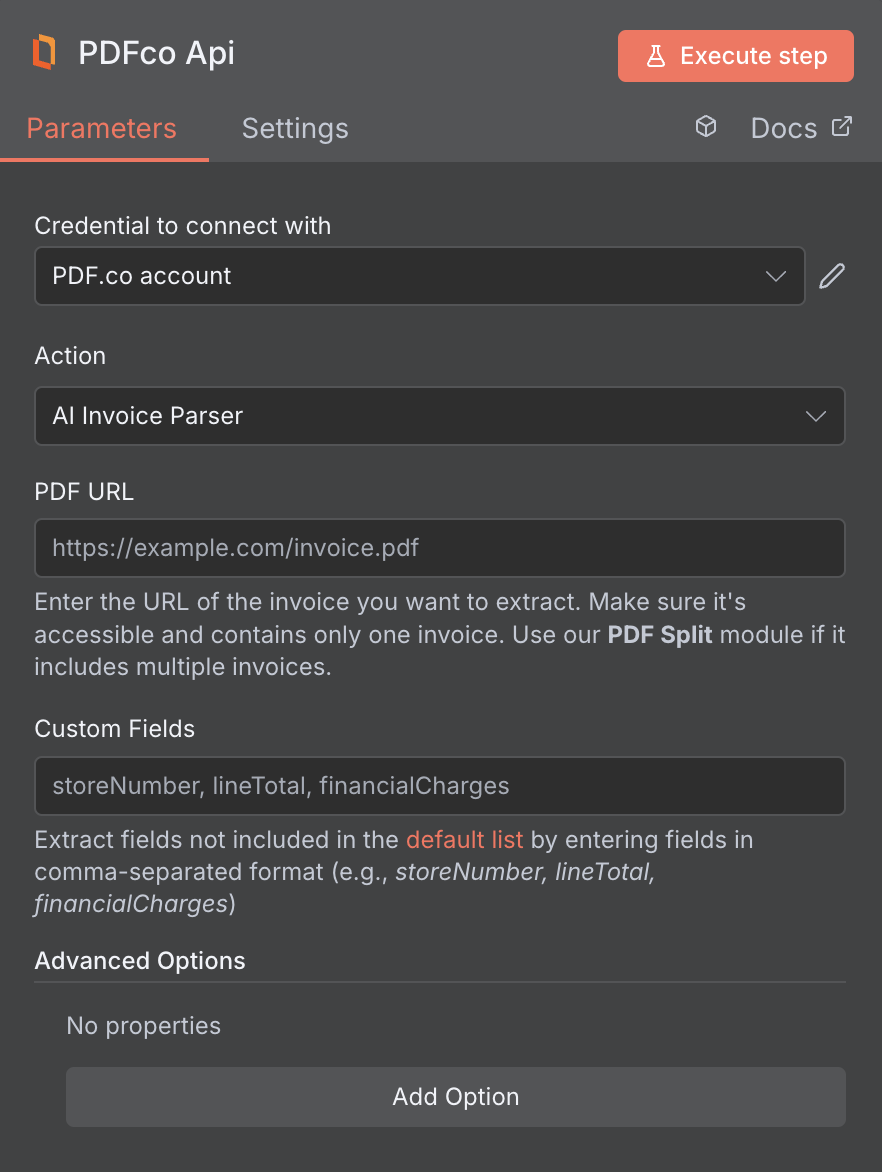
Input
File Requirements and Limitations
The PDF.co AI Invoice Parser only supports files with up to 100 pages. Files exceeding this limit will not be processed, so please avoid uploading documents larger than 100 pages. If your file contains multiple invoices in a single PDF, use the Split PDF operation in n8n to separate each invoice before passing them to the AI Invoice Parser node.Source PDF URLs
If your previous node or trigger outputs a binary file (e.g., from Gmail or other apps), you’ll need to upload the file first using the PDF.co Upload File to PDF.co operation to generate a valid URL. This URL is required as the input for the Source File URL field in all subsequent PDF.co actions. You can integrate with Google Drive, Dropbox, or other apps to trigger your automation and pass files into PDF.co.Custom Field Extraction
AI Invoice Parser with custom fields support automatically detects invoice layouts and extracts both standard schema data and user-specified custom fields without requiring manual templates. The customField parameter allows you to specify additional fields to extract beyond the standard schema. Some examples include:storeNumber– Store or branch identifierdeliveryDate– Expected delivery datefinancialCharges– Additional financial chargeslineTotal– Total amount for line itemspurchaseOrderRef– Purchase order reference numbercustomerReference– Customer reference numberdepartmentCode– Department or cost center code
Line Item Structure
ThelineItemStructure parameter lets you define a custom schema for line items. Each key is a field name you choose (in camelCase) and each value is the expected data type — either "string" or "number".
When provided, every object inside the lineItems array will contain exactly the fields you specified. If a value cannot be extracted from the invoice, the field will still be present with an empty or default value instead of being omitted.
Use
camelCase for field names (e.g., unitPrice, totalPrice). The field names you define will be used as-is in the response, giving you full control over the output keys.Output
Supported Languages
- Albanian (Shqip)
- Bosnian (Bosanski)
- Bulgarian (Български)
- Croatian (Hrvatski)
- Czech (Čeština)
- Danish (Dansk)
- Dutch (Nederlands)
- English
- Estonian (Eesti)
- Finnish (Suomi)
- French (Français)
- German (Deutsch)
- Greek (Ελληνικά)
- Hungarian (Magyar)
- Icelandic (Íslenska)
- Italian (Italiano)
- Latvian (Latviešu)
- Lithuanian (Lietuvių)
- Norwegian (Norsk)
- Polish (Polski)
- Portuguese (Português)
- Romanian (Română)
- Russian (Русский)
- Serbian (Српски)
- Slovak (Slovenčina)
- Slovenian (Slovenščina)
- Spanish (Español)
- Swedish (Svenska)
- Turkish (Türkçe)
- Ukrainian (Українська)