

Installation
Installing PDF.co Node on N8N (Version 1.94.0 and Later)
- Open the Nodes Panel
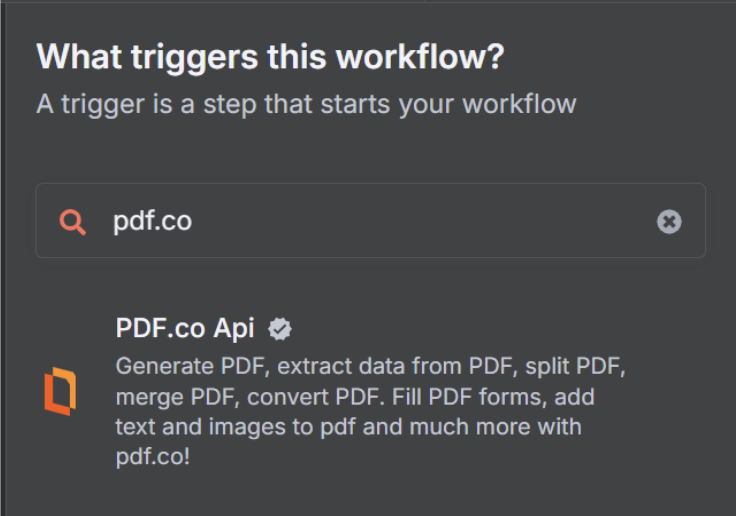
In your N8N instance, navigate to the nodes panel. - Search for the “PDF.co” Node
In the search bar, type “pdf.co” to find the PDF.co node.
- Install the Node
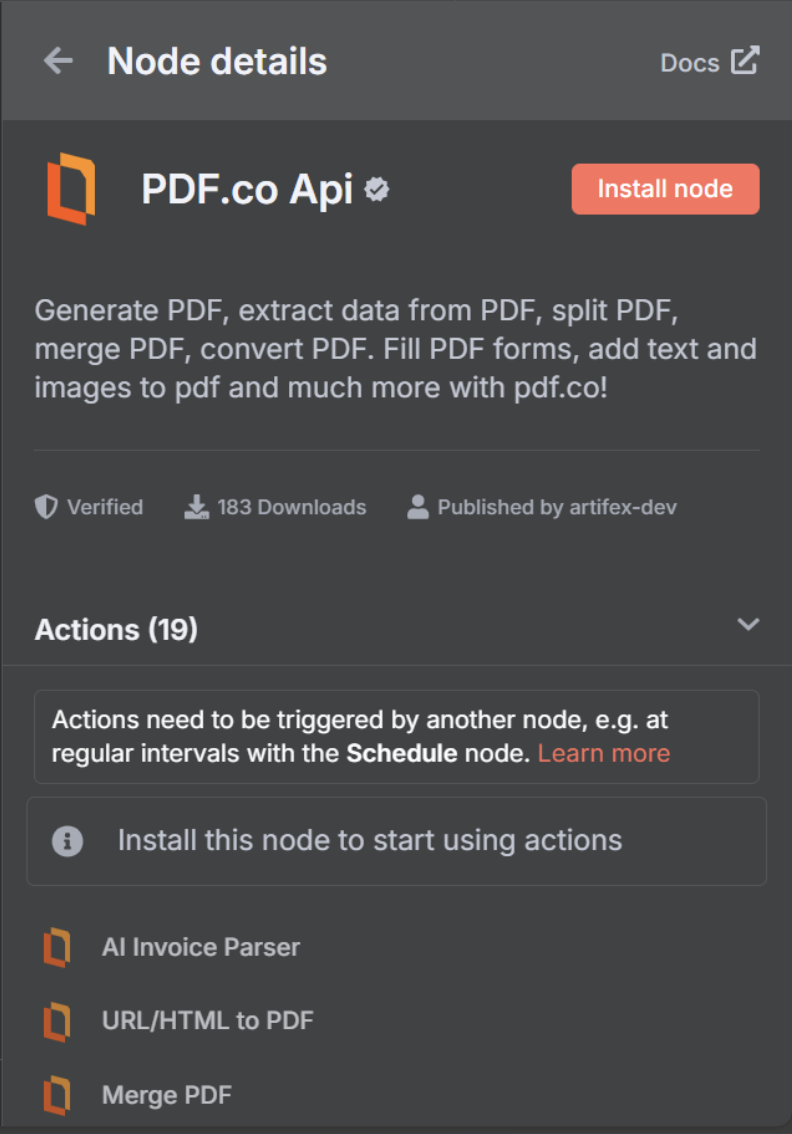
Click on the PDF.co Api node, and in the node details window, click the Install Node button.
Operations
This node provides comprehensive PDF processing capabilities through PDF.co’s API. Here are the available features:1. AI Invoice Parser
- Extract data from invoices using AI-powered parsing
2. URL/HTML to PDF
- Convert Type options:
URL to PDF,HTML to PDF,HTML Template to PDF
3. Merge PDF
- Merge multiple file URLs into a single PDF
Automatically Convert Non-PDF Filesconverts DOC, DOCX, XLS, JPG, PNG, MSG, and EML files to PDF before merging
4. Split PDF
- Split By options:
Page Numbers,Search Text,Barcode
5. Convert To PDF
- Convert Type options:
CSV to PDF,Document to PDF (RTF, DOC, DOCX, TXT),Email to PDF (MSG or EML),Image to PDF (JPG, PNG, TIFF),XLS to PDF,XLSX to PDF
6. Convert From PDF
- Convert Type options:
PDF to CSV,PDF to HTML,PDF to JPG,PDF to JSON (AI-Powered),PDF to JSON (Simple),PDF to PNG,PDF to Text,PDF to Text (No Layout & Fast),PDF to TIFF,PDF to WEBP,PDF to XLS,PDF to XLSX,PDF to XML
7. Add Text/Images to PDF
- Add text with the
Textfield and images with theImagesfield, using coordinates and styling options
8. Fill a PDF Form
- Fill interactive PDF forms with text, checkboxes, and other form elements
9. PDF Information & Form Fields
- Extract PDF metadata; enable
Extract Fillable Fieldsto return form field information
10. Compress PDF
- Reduce PDF file size while maintaining quality
- Optional
Custom Compression Configurationfor fine-grained control
11. PDF Security
- Operation Mode options:
Add Security,Remove Security
12. Rotate PDF Pages
- Rotation Mode options:
Auto,Manual
13. Delete PDF Pages
- Remove specific pages from a PDF document
14. Search in PDF
- Search for specific text within PDF documents or scanned images
15. Search & Replace Text or Delete
- Operation Type options:
Search and Delete Text,Search and Replace Text,Search and Replace with Image
16. Barcode Reader
- Decode barcodes from images or PDF documents
17. Barcode Generator
- Generate barcodes including QR codes, Code 128, Code 39, and more
18. Make PDF Searchable or Unsearchable
- Options:
Make PDF Searchable(OCR),Make PDF Unsearchable
19. Upload File to PDF.co
- Upload Method options:
Standard Upload(direct upload, supports files up to 2GB),Base64
Credentials
To use this node, you need a PDF.co API key. Here’s how to get started:- Sign up for a PDF.co account at https://pdf.co
- Navigate to your dashboard and obtain your API key
- In n8n, add your PDF.co credentials by providing your API key
Usage
This node allows you to automate PDF processing tasks in your n8n workflows. Here are some common use cases:- Process invoices using AI-powered parsing
- Automatically convert HTML reports to PDF
- Merge multiple PDF documents into a single file
- Extract text from PDF documents for data processing
- Add watermarks to PDF documents
- Compress PDF files to reduce size
- Secure PDFs with password protection
- Convert various document formats to PDF
- Extract data from PDFs to other formats
- Manage and modify PDF documents programmatically