Input
Integrating External File Sources
Streamline your Make workflows with external file sources like Google Drive and Dropbox using their unique actions. Discover efficient integration strategies in our guide: File Source Integrations in Make.
Output
Bypassing Google Drive’s Temporary Blocks
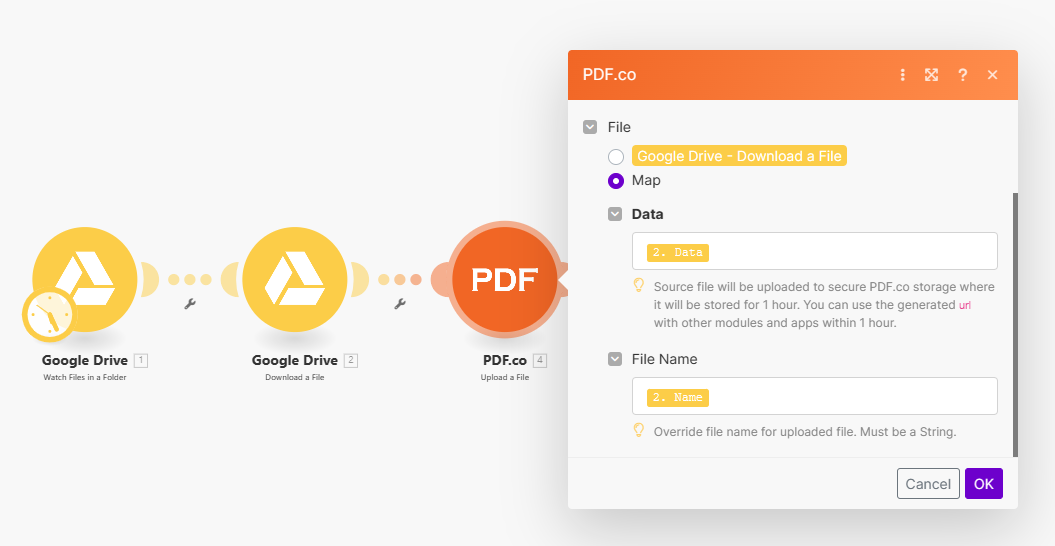
Google Drive may temporarily block PDF.co’s access to publicly shared URLs, identifying it as bot activity. This blockage prevents PDF.co from accessing the input file, causing errors in Make scenarios. Solution: Use the “Upload a File” module to upload your file directly to PDF.co. This will provide a PDF.co URL for your file, which you can use in subsequent steps without encountering access issues.Steps:
- Download the File: First, download your file from Google Drive.
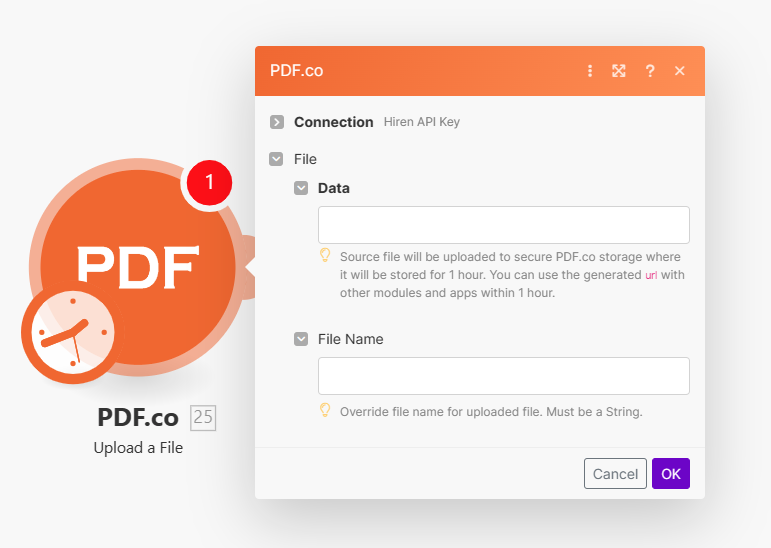
- Upload to PDF.co: Use PDF.co’s “Upload a File” module to upload the downloaded file.
- Use PDF.co URL: You will receive a PDF.co-hosted URL for your file. Use this URL in your Make scenario steps to avoid Google Drive’s temporary blocks.