

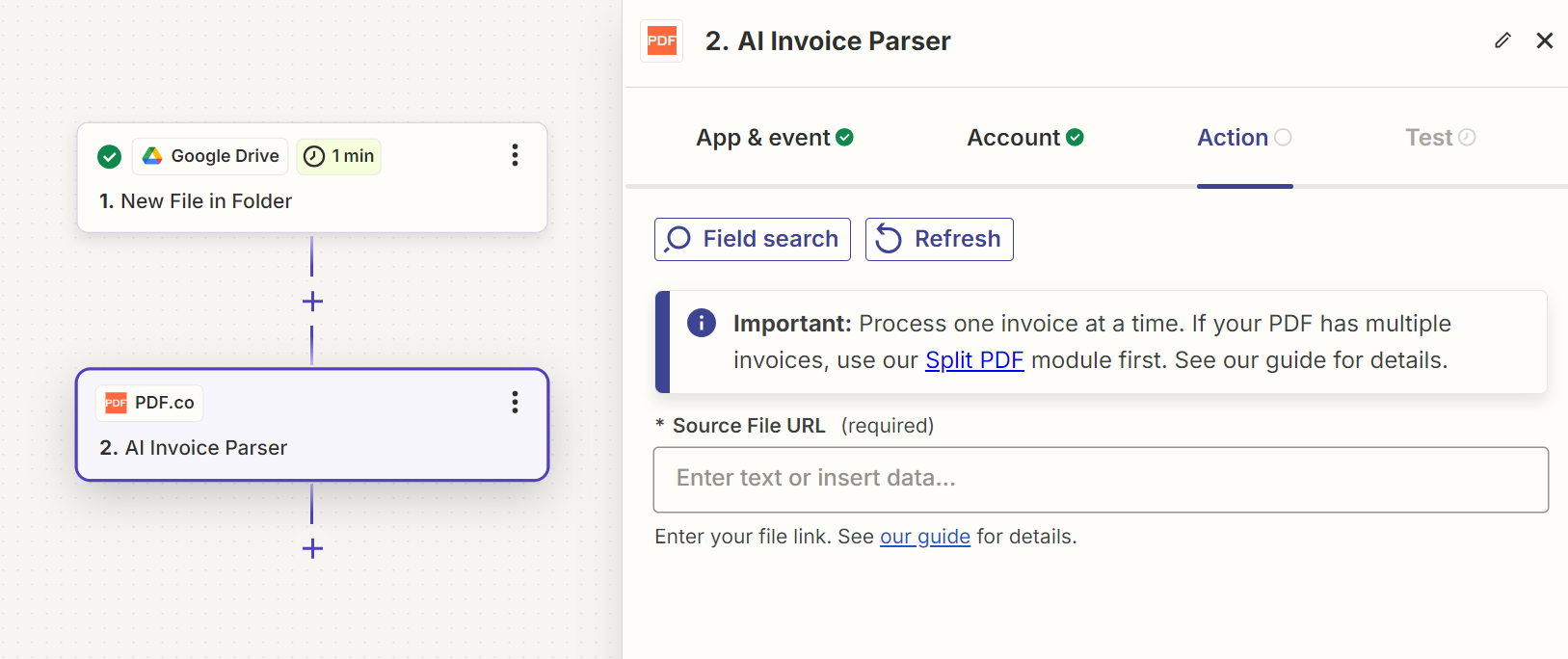
Input
Source PDF URL & Google
When using Google Drive, it’s typically recommended to choose the File option. For more advanced file integration techniques, see Integrating File Sources with pdf.co.
Custom Fields
AI Invoice Parser with custom fields support automatically detects invoice layouts and extracts both standard schema data and user-specified custom fields without requiring manual templates. ThecustomField parameter allows you to specify additional fields to extract beyond the standard schema. Some examples include:
storeNumber- Store or branch identifierdeliveryDate- Expected delivery datefinancialCharges- Additional financial chargeslineTotal- Total amount for line itemspurchaseOrderRef- Purchase order reference numbercustomerReference- Customer reference numberdepartmentCode- Department or cost center code
If a custom field returns an empty value, please contact our support team to help improve the extraction accuracy.
Line Item Structure
ThelineItemStructure parameter lets you define a custom schema for line items. Each key is a field name you choose (in camelCase) and each value is the expected data type — either "string" or "number".
When provided, every object inside the lineItems array will contain exactly the fields you specified. If a value cannot be extracted from the invoice, the field will still be present with an empty or default value instead of being omitted.
Use
camelCase for field names (e.g., unitPrice, totalPrice). The field names you define will be used as-is in the response, giving you full control over the output keys.Output
Supported Languages
- Albanian (Shqip)
- Bosnian (Bosanski)
- Bulgarian (Български)
- Croatian (Hrvatski)
- Czech (Čeština)
- Danish (Dansk)
- Dutch (Nederlands)
- English
- Estonian (Eesti)
- Finnish (Suomi)
- French (Français)
- German (Deutsch)
- Greek (Ελληνικά)
- Hungarian (Magyar)
- Icelandic (Íslenska)
- Italian (Italiano)
- Latvian (Latviešu)
- Lithuanian (Lietuvių)
- Norwegian (Norsk)
- Polish (Polski)
- Portuguese (Português)
- Romanian (Română)
- Russian (Русский)
- Serbian (Српски)
- Slovak (Slovenčina)
- Slovenian (Slovenščina)
- Spanish (Español)
- Swedish (Svenska)
- Turkish (Türkçe)
- Ukrainian (Українська)