

Modifying Restriction Settings: To modify assembly or extraction settings that control PDF restrictions (such as
allowPrintDocument, allowFillForms, allowModifyDocument, allowAssemblyDocument, and related permission settings), you must use the ownerPassword in your request. The userPassword alone cannot modify these permission settings. Attempting to change these restrictions with only a userPassword will result in an error: "This file is password-protected. Please ensure you've entered the correct password…". This requirement applies only when making changes to those restrictions.Input
The Zapier action doesn’t expose every PDF.co API parameter as a field. To pass a parameter that isn’t shown, use the Custom Profiles field with
std_params. See Standard Parameters.| Name | Description | Required |
|---|---|---|
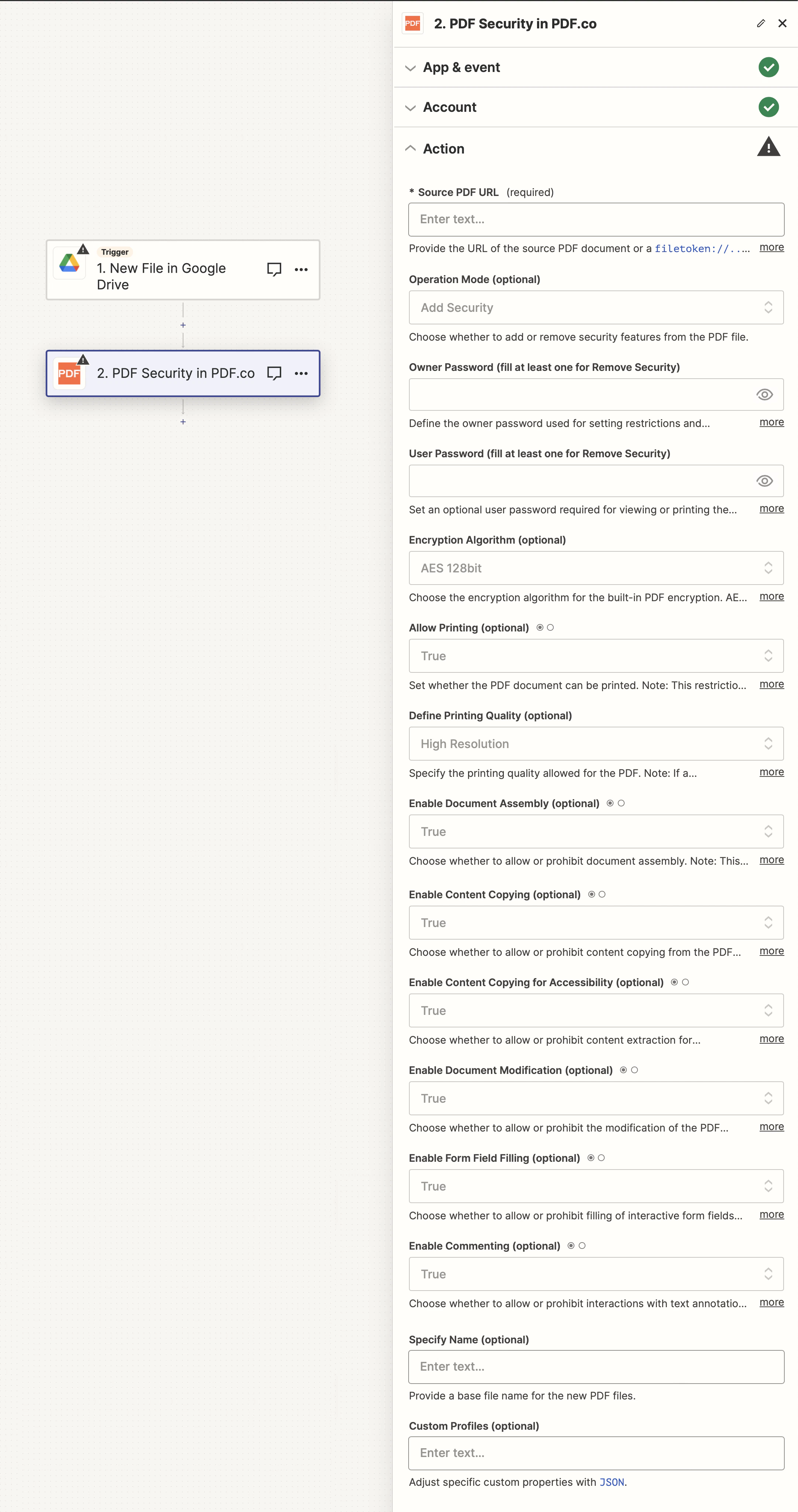
| Source PDF URL | Provide the URL of the source PDF document or a filetoken:// link from PDF.co Built-In Files Storage. For cloud services like Google Drive or Dropbox, ensure the link is publicly accessible. | Yes |
| Operation Mode | Select to either add or remove security features from the PDF file. | Yes |
| Owner Password | Set the owner password for applying restrictions and encryption. You can also utilize user-controlled data encryption. | Fill at least one for Remove Security |
| User Password | Optionally set a user password required to view or print the document. | Fill at least one for Remove Security |
| Encryption Algorithm | Select the encryption algorithm for built-in PDF encryption. AES-128 or higher is recommended. | No |
| Allow Printing | Determine if the PDF can be printed. Applies when the user password is entered; bypassed with the owner password. | No |
| Define Printing Quality | Specify the allowed printing quality. Applies with userPassword; bypassed with ownerPassword. | No |
| Enable Document Assembly | Decide if document assembly is allowed. Effective with userPassword; bypassed with ownerPassword. | No |
| Enable Content Copying | Decide if content copying is allowed. Effective with userPassword; bypassed with ownerPassword. | No |
| Enable Content Copying for Accessibility | Decide if content extraction for accessibility is allowed. Effective with userPassword; bypassed with ownerPassword. | No |
| Enable Document Modification | Decide if document modification is allowed. Effective with userPassword; bypassed with ownerPassword. | No |
| Enable Form Field Filling | Decide if filling form fields is allowed. Effective with userPassword; bypassed with ownerPassword. | No |
| Enable Commenting | Decide if interacting with text annotations and forms is allowed. Effective with userPassword; bypassed with ownerPassword. | No |
| Specify Name | Provide a base file name for the processed PDF files. | No |
| Custom Profiles | A JSON string which adds options for the conversion process. See Custom Profiles for more. | No |
Source PDF URL & Google
When using Google Drive, it’s typically recommended to choose the File option. For more advanced file integration techniques, see Integrating File Sources with pdf.co.
Output
| Name | Description |
|---|---|
url | The temporary URL on the PDF.co file server. |
outputLinkValidTill | A timestamp which indicates how long the url will be available for. |
error | Details of any errors (if any). |
status | The response status code. If all good this will be 200. |
name | The name of the file. |
jobId | The unique identifier for the job. |
credits | The credits spent on the process. |
remainingCredits | The credits left on your account. |
duration | The time it took for the process. |
Custom profiles
Use Custom Profiles to enhance your workflow with additional processing options. EnterJSON configuration to customize OCR settings, output format, text extraction methods, and more.

Sample JSON
{ "ImageOptimizationFormat": "JPEG", "JPEGQuality": 25, "ResampleImages": true, "ResamplingResolution": 120, "GrayscaleImages": true }
You can use any regular API parameter from the API Reference within Zapier using the
std_params feature in profiles. The std_params enables the definition of regular API parameters in a JSON format, See Standard Parameters for detailed documentation and examples.| Parameter | Type | Default | Description |
|---|---|---|---|
outputDataFormat | string | - | If you require your output as base64 format, set this to base64 |
DataEncryptionAlgorithm | string | - | Controls the encryption algorithm used for data encryption. See User-Controlled Encryption for more information. The available algorithms are: AES128, AES192, AES256. |
DataEncryptionKey | string | - | Controls the encryption key used for data encryption. See User-Controlled Encryption for more information. |
DataEncryptionIV | string | - | Controls the encryption IV used for data encryption. See User-Controlled Encryption for more information. |
DataDecryptionAlgorithm | string | - | Controls the decryption algorithm used for data decryption. See User-Controlled Encryption for more information. The available algorithms are: AES128, AES192, AES256. |
DataDecryptionKey | string | - | Controls the decryption key used for data decryption. See User-Controlled Encryption for more information. |
DataDecryptionIV | string | - | Controls the decryption IV used for data decryption. See User-Controlled Encryption for more information. |