

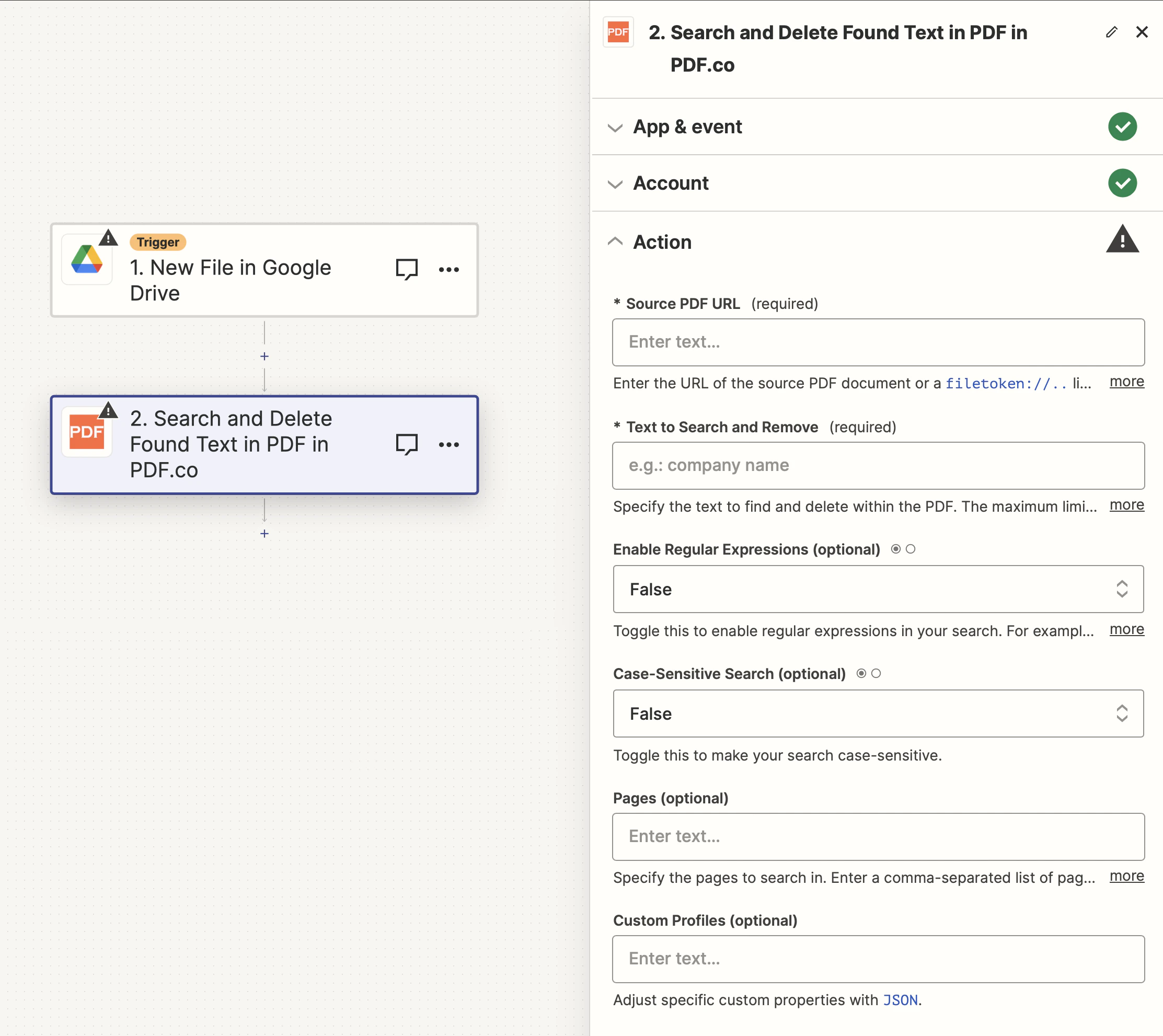
Input
The Zapier action doesn’t expose every PDF.co API parameter as a field. To pass a parameter that isn’t shown, use the Custom Profiles field with
std_params. See Standard Parameters.| Name | Description | Required |
|---|---|---|
| Source PDF URL | Provide the URL to the source PDF document, or a filetoken:// link from PDF.co Built-In Files Storage. If you use another cloud service such as Google Drive or Dropbox ensure the link is publicly accessible. | Yes |
| Text to Search and Remove | Define the text to be searched for and removed within the PDF. A maximum of five search-and-delete operations are permitted per task. | Yes |
| Enable Regular Expressions | Activate this option to use regular expressions in your search. For example, [0-9]{3}-[0-9]{2}-[0-9]{4} can be used to locate SSN patterns. | No |
| Case-Sensitive Search | Toggle this option to make the search case-sensitive. | No |
| Pages | Specify the pages to be searched. Enter a comma-separated list of page numbers or ranges. Note: The first page is numbered 0. For example: 0,1-5,7-. | No |
| Custom Profiles | A JSON string which adds options for the conversion process. See Custom Profiles for more. | No |
Source PDF URL & Google
When using Google Drive, it’s typically recommended to choose the File option. For more advanced file integration techniques, see Integrating File Sources with pdf.co.
Output
| Name | Description |
|---|---|
url | The temporary URL on the PDF.co file server. |
outputLinkValidTill | A timestamp which indicates how long the url will be available for. |
error | Details of any errors (if any). |
status | The response status code. If all good this will be 200. |
name | The name of the file. |
jobId | The unique identifier for the job. |
credits | The credits spent on the process. |
remainingCredits | The credits left on your account. |
duration | The time it took for the process. |
Custom profiles
Use Custom Profiles to enhance your workflow with additional processing options. EnterJSON configuration to customize OCR settings, output format, text extraction methods, and more.

Sample JSON
{ "ImageOptimizationFormat": "JPEG", "JPEGQuality": 25, "ResampleImages": true, "ResamplingResolution": 120, "GrayscaleImages": true }
You can use any regular API parameter from the API Reference within Zapier using the
std_params feature in profiles. The std_params enables the definition of regular API parameters in a JSON format, See Standard Parameters for detailed documentation and examples.| Parameter | Type | Default | Description |
|---|---|---|---|
outputDataFormat | string | - | If you require your output as base64 format, set this to base64 |
removeTextUnderPatch | boolean | true | Controls whether to remove text under the patch or not |
usepatch | boolean | false | Controls whether to use a patch or not |
patchColor | string | #000000 | Controls the color of the patch |
DataEncryptionAlgorithm | string | - | Controls the encryption algorithm used for data encryption. See User-Controlled Encryption for more information. The available algorithms are: AES128, AES192, AES256. |
DataEncryptionKey | string | - | Controls the encryption key used for data encryption. See User-Controlled Encryption for more information. |
DataEncryptionIV | string | - | Controls the encryption IV used for data encryption. See User-Controlled Encryption for more information. |
DataDecryptionAlgorithm | string | - | Controls the decryption algorithm used for data decryption. See User-Controlled Encryption for more information. The available algorithms are: AES128, AES192, AES256. |
DataDecryptionKey | string | - | Controls the decryption key used for data decryption. See User-Controlled Encryption for more information. |
DataDecryptionIV | string | - | Controls the decryption IV used for data decryption. See User-Controlled Encryption for more information. |