

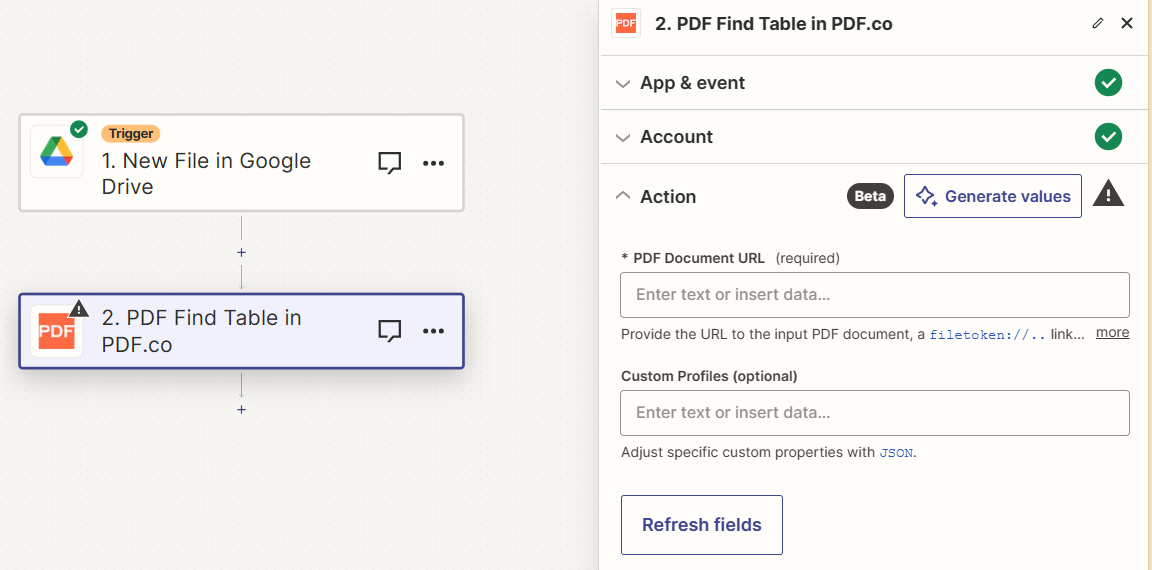
Input
Source PDF URL & Google
When using Google Drive, it’s typically recommended to choose the File option. For more advanced file integration techniques, see Integrating File Sources with pdf.co.
Output
Custom profiles
Use Custom Profiles to enhance your workflow with additional processing options. EnterJSON configuration to customize OCR settings, output format, text extraction methods, and more.

Sample JSON
Column Detection Mode
This might be case when a document contains a number of overlapping invisible text and vector objects that affect column detection. In this case you may need to fix the wrongly positioned data. Set the options for your column detection via the followingprofiles parameters:
ColumnDetectionMode - available values:
ContentGroupsAndBorders(default, no need to specify)ContentGroupsBordersBorderedTablesContentGroupsAI