

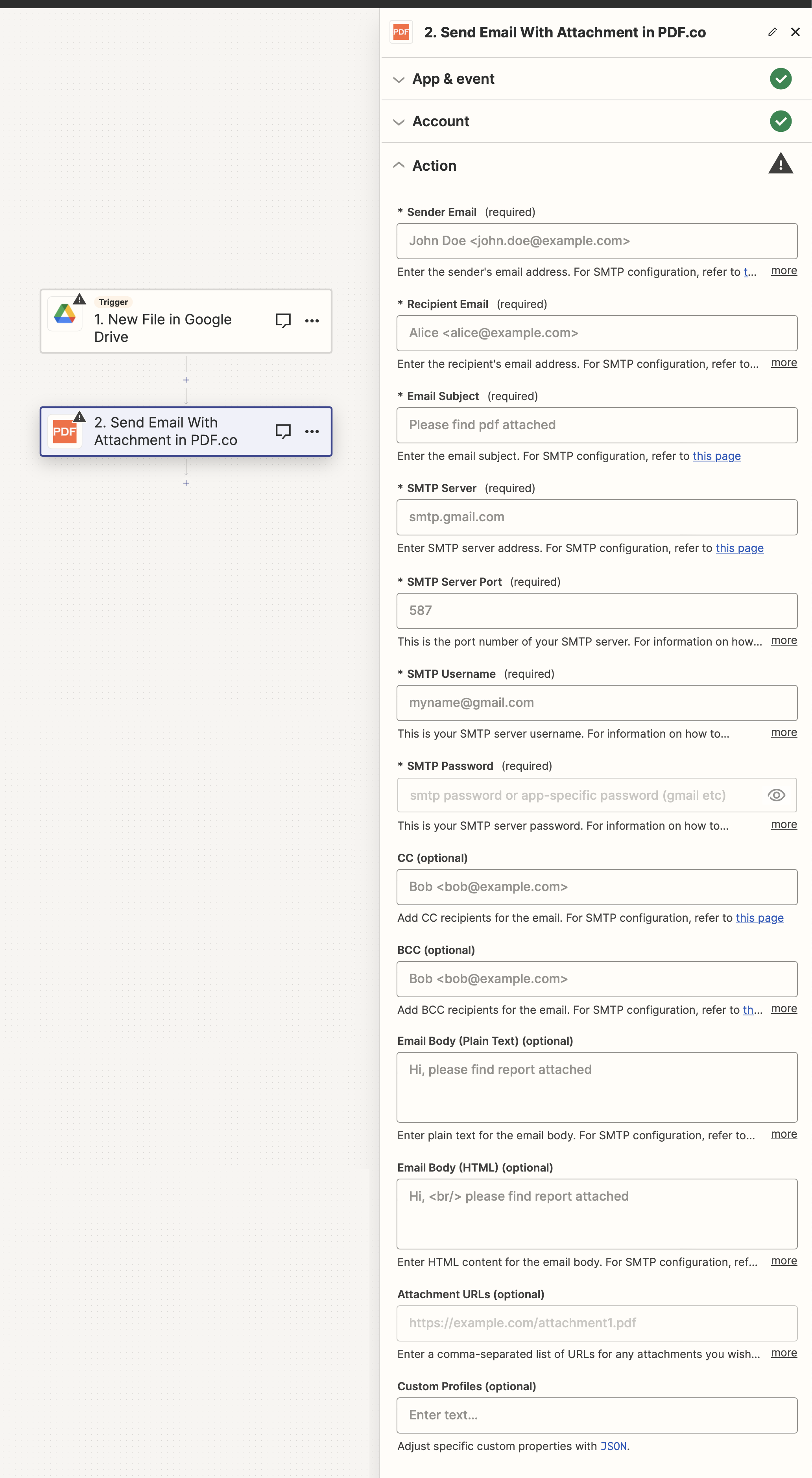
Input
The Zapier action doesn’t expose every PDF.co API parameter as a field. To pass a parameter that isn’t shown, use the Custom Profiles field with
std_params. See Standard Parameters.| Name | Description | Required |
|---|---|---|
| Sender Email | Specify the email address of the sender. | Yes |
| Recipient Email | Enter the email address of the recipient. | Yes |
| Email Subject | Define the subject of the email. | Yes |
| SMTP Server | Provide the address of the SMTP server. | Yes |
| SMTP Server Port | Indicate the port number used by your SMTP server. | Yes |
| SMTP Username | Enter your username for the SMTP server. | Yes |
| SMTP Password | Provide your password for the SMTP server. | Yes |
| CC | Add Carbon Copy (CC) recipients if required. | No |
| BCC | Add Blind Carbon Copy (BCC) recipients if necessary. | No |
| Email Body (Plain Text) | Input the content of the email in plain text. | No |
| Email Body (HTML) | Enter the email content in HTML format. | No |
| Attachment URLs | Provide a comma-separated list of URLs for any attachments to be included in the email. | No |
| Custom Profiles | A JSON string which adds options for the conversion process. See Custom Profiles for more. | No |
Output
| Name | Description |
|---|---|
error | Details of any errors (if any). |
status | The response status code. If all good this will be 200. |
credits | The credits spent on the process. |
remainingCredits | The credits left on your account. |
duration | The time it took for the process. |
Custom profiles
Use Custom Profiles to enhance your workflow with additional processing options. EnterJSON configuration to customize OCR settings, output format, text extraction methods, and more.

Sample JSON
{ "ImageOptimizationFormat": "JPEG", "JPEGQuality": 25, "ResampleImages": true, "ResamplingResolution": 120, "GrayscaleImages": true }
You can use any regular API parameter from the API Reference within Zapier using the
std_params feature in profiles. The std_params enables the definition of regular API parameters in a JSON format, See Standard Parameters for detailed documentation and examples.| Parameter | Type | Default | Description |
|---|---|---|---|
DataEncryptionAlgorithm | string | - | Controls the encryption algorithm used for data encryption. See User-Controlled Encryption for more information. The available algorithms are: AES128, AES192, AES256. |
DataEncryptionKey | string | - | Controls the encryption key used for data encryption. See User-Controlled Encryption for more information. |
DataEncryptionIV | string | - | Controls the encryption IV used for data encryption. See User-Controlled Encryption for more information. |
DataDecryptionAlgorithm | string | - | Controls the decryption algorithm used for data decryption. See User-Controlled Encryption for more information. The available algorithms are: AES128, AES192, AES256. |
DataDecryptionKey | string | - | Controls the decryption key used for data decryption. See User-Controlled Encryption for more information. |
DataDecryptionIV | string | - | Controls the decryption IV used for data decryption. See User-Controlled Encryption for more information. |